To watch live sports on IPTV with pristine motion clarity, choose an IPTV provider that delivers 60 frames per second (FPS) high-bitrate streams, connect your streaming device via a wired Ethernet cable, and use an advanced player like TiviMate with multi-view capabilities. While traditional cable television restricts sports fans with regional blackout policies and expensive tier packages, modern platforms like BunnyStream aggregate over 30,000 live channels to provide comprehensive coverage of the Premier League, NFL, Champions League, UFC, and NBA. By optimizing player buffer cache and hardware decoding, viewers enjoy stable 4K and Full HD broadcasts without frozen frames or spoiler delays.
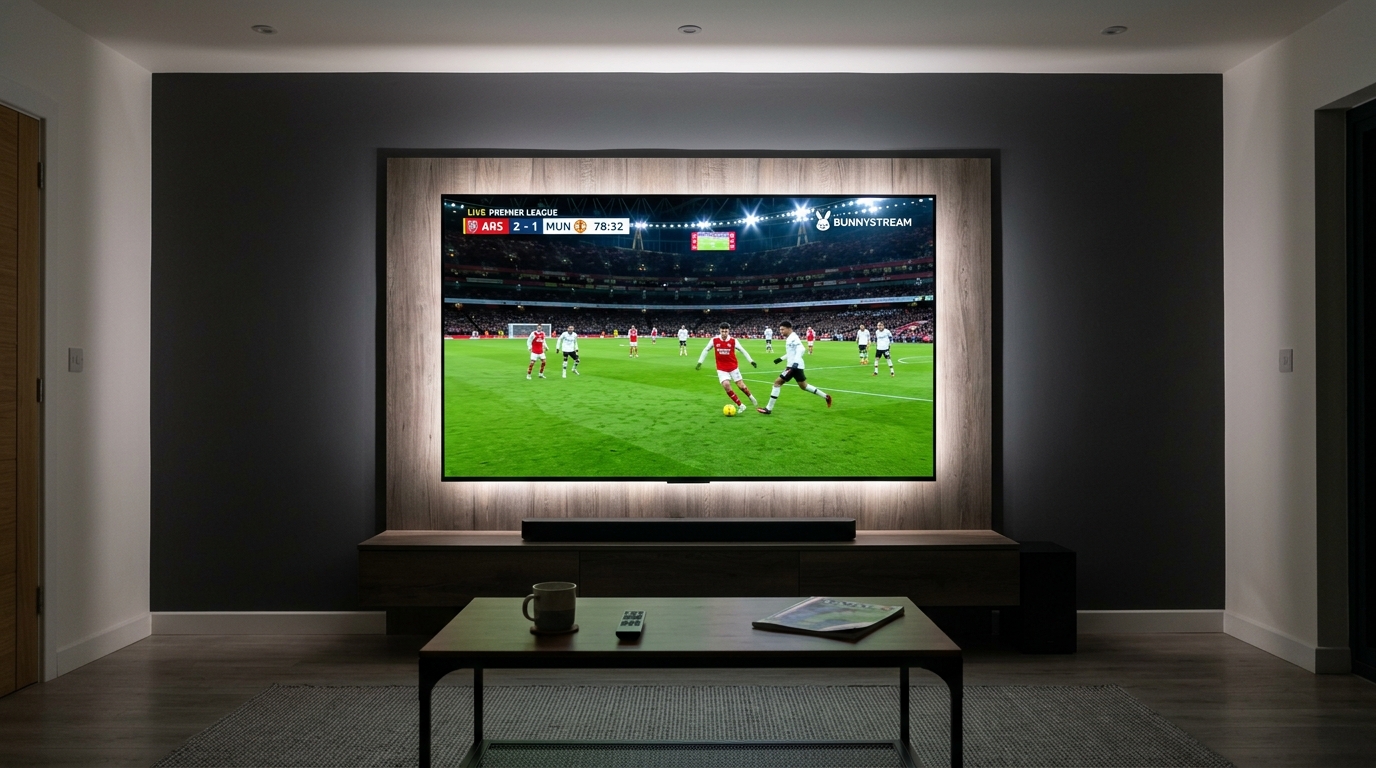
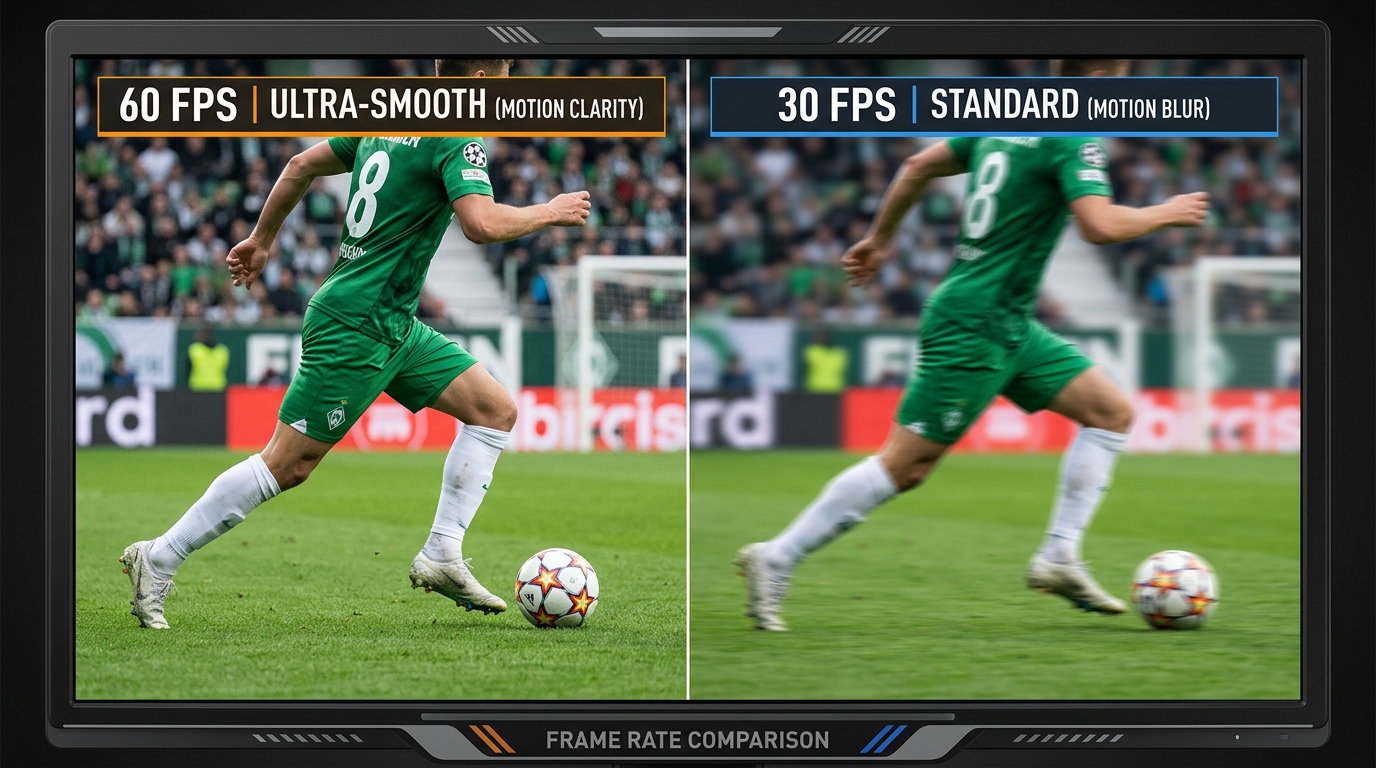
Why Frame Rate (60 FPS vs. 30 FPS) Matters for Live Sports
When evaluating IPTV streams for movies or episodic drama, standard 24 to 30 frames per second (FPS) provides an authentic cinematic feel. However, high-velocity sports broadcasts place vastly higher demands on temporal video resolution.
Fast athletic movements—such as a 100 mph tennis serve, a cross-pitch football strike, or open-wheel Formula 1 cars navigating chicanes—appear choppy and blurred at 30 FPS. Dedicated sports servers encode live streams at 50 or 60 FPS, doubling the visual data transmitted every second to produce silky-smooth motion rendering.
Motion Blur and Ball Tracking in Fast-Paced Sports
At 30 FPS, rapid horizontal camera pans create substantial motion blur that causes the ball to stutter or temporarily vanish against crowd backgrounds. In contrast, 60 FPS feeds preserve razor-sharp edge definition around players and equipment, allowing your eyes to track fast-paced action naturally.
Premium streaming infrastructure on BunnyStream incorporates high-frequency ingest encoders that capture live satellite feeds in native 50/60 Hz format. This guarantees that fast-moving plays remain fluid and intelligible on high-refresh-rate 120 Hz television panels.
How Uncompressed Bitrates Prevent Pixelation During Stadium Action
Frame rate represents only half of the visual equation; video bitrate dictates whether grass blades, stadium floodlights, and player jerseys remain sharp. When live action intensifies, compressed streams with low bitrates collapse into blocky artifacts known as macroblocking.
According to the FCC Broadband Speed Guidelines, sustained high-bitrate video pipelines require dedicated bandwidth to prevent buffer starvation. A high-grade 1080p sports feed demands an uncompressed video bitrate between 12 and 18 Mbps, while 4K Ultra HD broadcasts require 25 to 35 Mbps of sustained transmission to preserve pristine visual fidelity.
Broadcast Latency and Eliminating Live Stream Spoilers
One of the most frustrating experiences for modern sports enthusiasts is receiving a smartphone notification or neighborly cheer celebrating a goal before it appears on your television screen. Understanding the transmission pathway allows you to configure your setup for minimum delay.
Understanding the Streaming Delay Chain: Satellite to IPTV Player
Live internet video operates through packetized chunk protocols such as HLS (HTTP Live Streaming) and MPEG-TS. Before a live satellite signal reaches your television, it must be captured, encoded into video segments, distributed across regional content delivery networks (CDNs), and assembled in your local player memory buffer.
This digital sequence introduces an unavoidable latency of approximately 20 to 45 seconds behind real-time stadium play. Traditional cable television carries a 7 to 15-second latency, meaning an optimized IPTV stream can closely approach conventional terrestrial broadcast speeds.
Configuring Low-Latency Buffers to Keep Pace with Live Action
To minimize broadcast latency on devices like the Firestick or Apple TV, adjust the buffer cache settings inside your preferred media player. Setting the buffer to “Small” (1–2 seconds) reduces stream delay significantly, ensuring you celebrate pivotal plays in near-real time.
However, lower buffer sizes require an ultra-stable local network connection. If your home network experiences occasional Wi-Fi packet drops, balance delay and smoothness by reading our proven solutions in how to fix IPTV buffering and streaming lag.
Major Sports Leagues and Channel Coverage Breakdown
A major advantage of using IPTV over conventional cable subscriptions is borderless sports coverage. Rather than paying for multiple regional sports packages, viewers access comprehensive domestic and international feeds from a unified playlist.
European Football and UEFA Competitions
Football fans enjoy access to every weekend Premier League fixture—including the UK Saturday 3:00 PM blackout matches unavailable on British terrestrial television—via international broadcast feeds. Complete tournament coverage encompasses the UEFA Champions League, Europa League, La Liga, Serie A, Bundesliga, and domestic cup competitions.
North American Sports: NFL, NBA, NHL, and MLB
North American sports coverage includes live broadcasts across all thirty-two NFL teams, complete with NFL RedZone for non-stop Sunday touchdown action. Basketball and hockey followers can follow full seasons through dedicated regional sports networks (RSNs) and out-of-market league feeds without regional geographic blackouts.
Combat Sports, Motorsport, and Pay-Per-View Events
Combat sports fans access all major UFC numbered pay-per-view main cards, preliminary bouts, and premier championship boxing events. Motorsport enthusiasts can follow complete Formula 1, MotoGP, and NASCAR race weekends with dedicated pit-lane telemetry and onboard camera feeds.
Sports Streaming Requirements and Performance Matrix
Streaming live high-framerate sports without stutter requires matching your video resolution with adequate network throughput and hardware decoders. Use this technical reference matrix to verify your streaming setup.
| Stream Quality | Target Frame Rate | Required Bitrate | Minimum Internet Speed | Recommended Hardware |
|---|---|---|---|---|
| 720p HD Sports | 50 / 60 FPS | 6 – 8 Mbps | 15 Mbps | Firestick Lite, Android TV Box |
| 1080p Full HD Sports | 50 / 60 FPS | 12 – 18 Mbps | 25 – 35 Mbps | Fire TV Stick 4K, Chromecast with Google TV |
| 4K Ultra HD Sports | 60 FPS (HDR) | 25 – 35 Mbps | 50+ Mbps (Wired LAN) | Fire TV Cube, Apple TV 4K, NVIDIA Shield TV |
| Multi-View (4 Screens) | 60 FPS (x4) | 30 – 45 Mbps combined | 75 – 100 Mbps | NVIDIA Shield Pro, Apple TV 4K (3 GB+ RAM) |
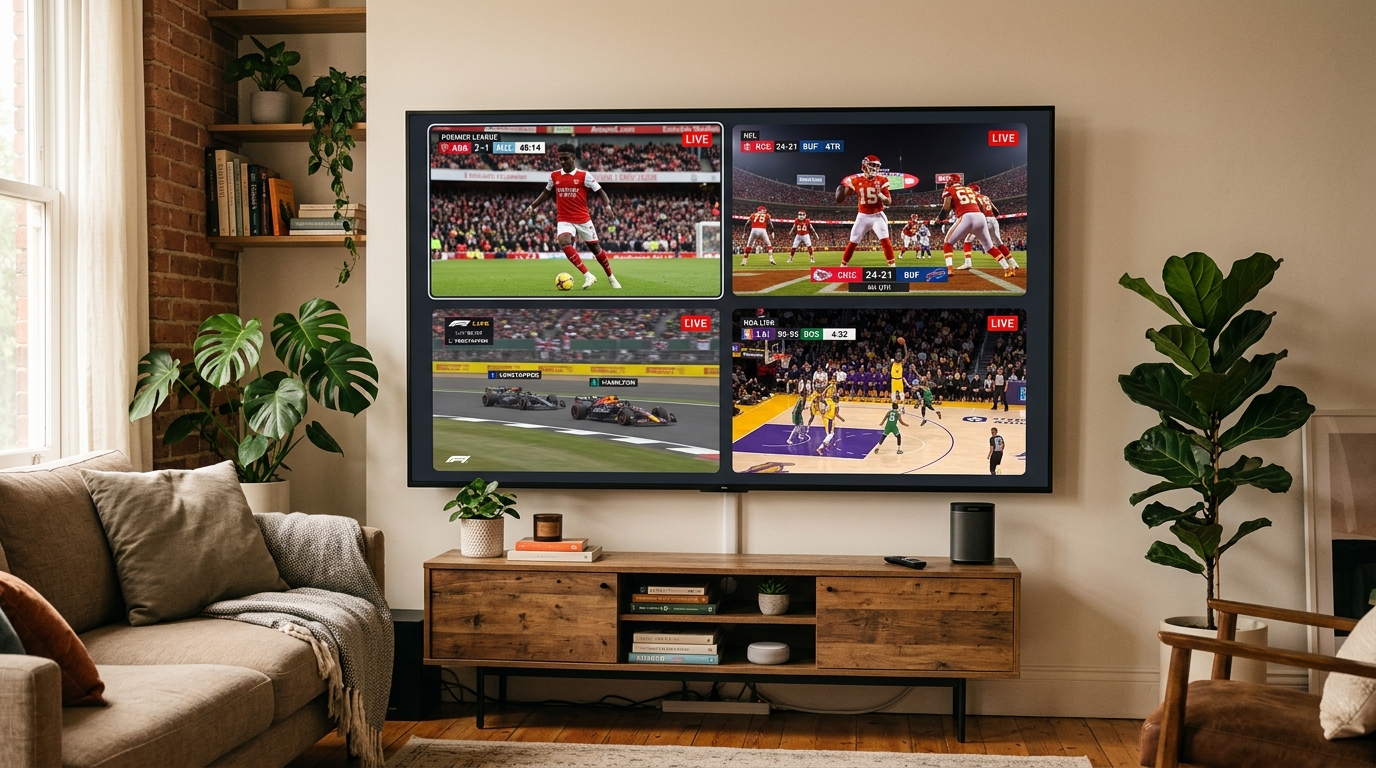
How to Set Up Multi-Screen Viewing for Live Match Days
During marquee sporting weekends with overlapping fixtures, multi-screen viewing enables you to watch up to four or nine matches simultaneously on a single large display. This feature turns your living room into a dedicated sports command center.
Configuring Multi-View in TiviMate and IPTV Smarters
Popular media players offer intuitive multi-screen controls designed specifically for television remotes. To learn which player app best matches your streaming habits, review our guide on the best IPTV players for Firestick and Android TV.
- Open your IPTV player and tune into your first priority live match.
- Press the center remote button to bring up the on-screen playback menu and select the Multi-View or Multi-Screen icon.
- Select your preferred grid layout (2-screen split, 3-screen, or 4-screen grid).
- Highlight an empty tile, click Add Channel, and select secondary live sporting events from your channel guide.
- Toggle active audio between screens seamlessly by clicking any specific video tile.
Hardware Bandwidth Demands for Multiple Concurrent Feeds
Displaying four synchronized 1080p 60 FPS streams quadruples the hardware decoding overhead and bandwidth demand on your streaming stick. For smooth multi-view performance, adhere to the hardware guidelines in the official Amazon Fire TV developer documentation by using devices equipped with at least 2 GB of RAM, such as the Fire TV Stick 4K Max or Fire TV Cube.
Additionally, ensure your subscription package supports multiple simultaneous connections. Multi-device accounts available through BunnyStream pricing plans support up to 5 concurrent connections, allowing family members to stream independently while you run a multi-game wall.
Preventing ISP Bandwidth Throttling During Peak Sports Events
Many subscribers find that regular television channels stream smoothly, but stuttering begins precisely at kickoff during major football derbies or NFL playoff games. This issue almost always stems from automated internet service provider throttling rather than provider server congestion.
Why Internet Service Providers Target Sports Streaming Traffic
During marquee sporting events, millions of regional households draw heavy bandwidth simultaneously. To protect their core network backbones from saturation, ISPs employ automated deep packet inspection (DPI) to identify continuous video streams heading toward standard media streaming ports, dynamically throttling throughput on those connections.
Using an Encrypted VPN to Maintain Full Line Speed
Activating a trusted virtual private network (VPN) running WireGuard or modern OpenVPN protocols encrypts all data packets between your streaming device and the VPN server. Because your ISP can no longer inspect packet headers or identify video streaming traffic, artificial speed caps are bypassed, restoring full 60 FPS playback stability.
Frequently Asked Questions
Why is 60 FPS crucial for watching live sports on IPTV?
Standard video streams operate at 30 frames per second (FPS), which causes noticeable motion blur and ghosting when tracking fast-moving objects like footballs, hockey pucks, or racing cars. A 60 FPS feed doubles the frame data, rendering lightning-fast athlete movement with lifelike sharpness and fluid camera panning.
How much internet speed is needed to stream 4K live sports without buffering?
Streaming uncompressed 4K sports at 60 FPS requires a consistent, dedicated download speed between 35 and 50 Mbps per active screen. For 1080p Full HD at 60 FPS, a steady connection of at least 25 Mbps is recommended, along with low network jitter under 30 ms.
Can I watch multiple live sports matches simultaneously on one screen?
Yes. Advanced IPTV players like TiviMate and IPTV Smarters Pro feature built-in multi-screen or multi-view modes that divide your display into 2 to 9 simultaneous live broadcasts. To utilize multi-screen smoothly, ensure your subscription supports concurrent connections and your streaming hardware has adequate RAM.
Why do live sports streams on IPTV lag behind terrestrial broadcasts?
All digital streaming protocols (HLS/MPEG-TS) package live satellite video into multi-second chunks before transmitting them through internet routing and player buffer caches. This produces an inherent latency of 15 to 45 seconds. Setting your player cache to “Small” (1 to 2 seconds) minimizes this delay while maintaining playback stability.
Experience Unrivaled Live Sports with BunnyStream
Streaming live sports on IPTV offers unrivaled convenience, delivering thousands of global sports channels, pay-per-view events, and multi-game viewing without prohibitive broadcast fees or blackout restrictions. By configuring a high-framerate 60 FPS feed, maintaining a wired Ethernet connection, and optimizing your player settings, you unlock a premier stadium-level experience in the comfort of your home.
Ready to never miss another kickoff, buzzer-beater, or knockout punch? Explore BunnyStream subscription plans to access over 30,000 live channels, dedicated 4K sports servers, and Anti-Freeze 9.0 stability built specifically for high-intensity live sporting events today.