When evaluating Xtream Codes API vs M3U for your streaming setup, Xtream Codes API is the clear winner for performance, automated Electronic Program Guide (EPG) syncing, and overall user convenience. While an M3U playlist requires downloading a massive, static text file containing tens of thousands of channel links, Xtream Codes API communicates directly with provider database servers using lightweight, on-demand data requests. Pairing an advanced media player with BunnyStream via Xtream Codes credentials delivers instantaneous channel loading, structured Video on Demand (VOD) poster galleries, and seamless TV guide updates across all your devices.

What Is an M3U Playlist and How Does It Work?
The M3U format (Moving Picture Experts Group Audio Layer 3 Uniform Resource Locator) originated in the late 1990s as a plain-text file format intended for queuing local MP3 music tracks. Over the past decade, it was adapted into the Extended M3U (M3U8) standard to deliver internet live video feeds.
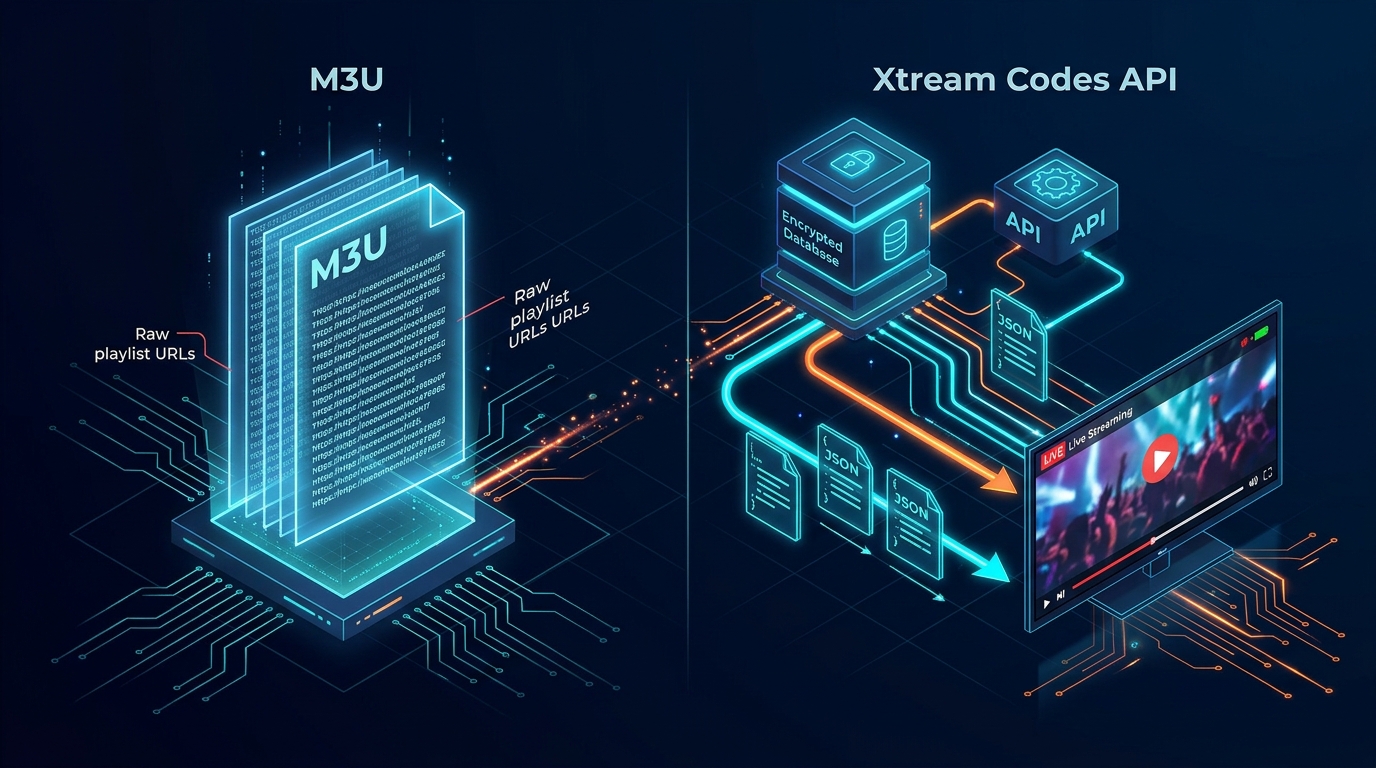
When you load an M3U URL into an IPTV player, your device downloads the entire text file from the server. The application must then read and parse thousands of lines of code sequentially before rendering a single television channel on your screen.
The Structure of an M3U8 File
Under technical guidelines established in the IETF RFC 8216 HTTP Live Streaming Specification, an Extended M3U playlist relies on structured directive tags:
- #EXTM3U: The mandatory header identifying the document as an extended playlist.
- #EXTINF: Track information containing stream runtime, tvg-id, tvg-name, channel logo URLs, and group titles.
- Stream URL: The direct HTTP/HLS transport stream link pointing to the host media server.
Limitations of Monolithic Playlist Parsing
The fundamental flaw of M3U playlists in modern IPTV environments is file size. Premium services offer massive content libraries; BunnyStream, for instance, provides over 30,000 live channels and 150,000 movies and series. An uncompressed M3U text file containing that volume of data can exceed 50 megabytes.
When an entry-level streaming stick or Smart TV attempts to download and parse a 50MB text file into RAM, the hardware frequently freezes, resulting in severe interface lag or application crashes before playback even begins.
What Is Xtream Codes API and How Does It Operate?
Xtream Codes API represents a database-driven client-server architecture. Instead of forcing your streaming device to swallow an entire media catalog at once, it breaks playlist data into organized, on-demand query endpoints.
When you log into an application using Xtream Codes credentials, you enter three simple parameters: your Server URL, Username, and Password. Your player establishes an authenticated session with the server and fetches only the specific categories or channels you choose to view.
Dynamic Database Queries via JSON Endpoints
Under the hood, an Xtream Codes client communicates via RESTful JSON (JavaScript Object Notation) calls. When you click on “Sports”, the player sends a fast call to the server requesting only the channels assigned to that specific category ID.
Because JSON responses are lightweight and compressed, data transfers consume mere kilobytes rather than dozens of megabytes. This modular communication keeps your device's memory clean and enables instantaneous navigation, even on low-RAM hardware.
Why the Xtream Codes Protocol Outlived the Original Software Panel
A common misconception among newcomers is confusing the original Xtream Codes server panel software with the API communication protocol. While the proprietary management panel was discontinued years ago, the developer community adopted the Xtream Codes API structure as the universal open industry standard.
Today, enterprise-grade streaming clusters utilize custom load balancers that process Xtream Codes API calls with extreme efficiency. When using BunnyStream, your player interfaces with cutting-edge Anti-Freeze 9.0 server nodes engineered to answer API calls and stream requests in milliseconds.
Feature Comparison: Xtream Codes API vs. M3U Playlist
To help you understand the practical differences between both formats, the comparison table below outlines key technical attributes across performance, setup, and usability.
| Feature / Capability | Xtream Codes API | M3U / M3U8 Playlist |
|---|---|---|
| Initial Load Time | Instantaneous (fetches on demand) | Slow (must parse entire text file) |
| Memory (RAM) Footprint | Minimal (lightweight JSON responses) | Heavy (stores entire playlist in memory) |
| EPG TV Guide Integration | Automatic (built-in scheduling feed) | Manual (requires separate XMLTV URL) |
| VOD & Series Metadata | Rich (posters, plot summaries, cast, trailers) | Basic (often plain text titles only) |
| Ease of Remote Input | Simple (Server URL, User, Pass) | Tedious (long 80+ character web link) |
| Catch-Up TV Support | Seamless server-side playback syncing | Limited (depends on player regex parsing) |
| App Compatibility | Supported on all modern IPTV players | Universal across legacy video players |
Key Operational Differences Between the Two Formats
Understanding how these protocols operate in real-world scenarios highlights why choosing the proper connection method directly impacts your daily television viewing experience.
Channel Loading Speed and Memory Footprint
Because M3U files must be downloaded and indexed entirely before playback begins, refreshing a channel list can take thirty seconds to several minutes on streaming sticks. If the connection drops mid-download, the entire file corrupts, leaving you with an empty channel guide.
In contrast, Xtream Codes API initiates an instant session handshake. You can immediately begin watching live news or football while secondary metadata loads quietly in the background without frame drops or system pauses.
Automated EPG Schedule Syncing
An Electronic Program Guide is essential for a true television experience. With an M3U playlist, you must locate, copy, and paste a separate XMLTV link into your player settings. If the XMLTV file updates on a different server cycle, your schedule will display “No Information” across your guide.
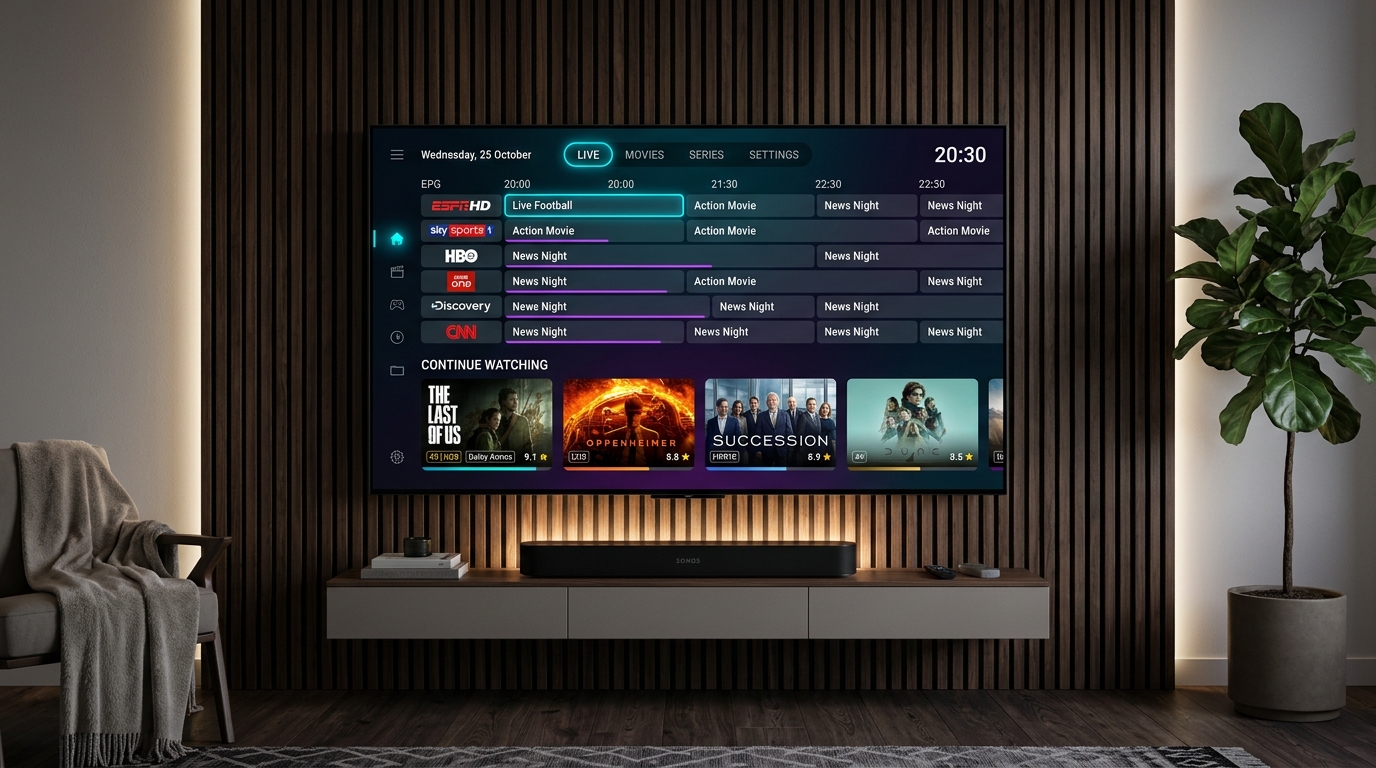
Xtream Codes API eliminates this friction entirely. The API payload includes direct pointers to live scheduling tables. When you tune into a channel on apps like TiviMate or IPTV Smarters Pro, the program schedule populates automatically with zero manual configuration.
Video on Demand (VOD) and Series Categorization
Streaming modern movies and multi-season television shows through an M3U playlist is clumsy. An M3U file treats an on-demand video as just another channel link, mixing episodes into long unorganized lists without cover art or release dates.
With Xtream Codes API, VOD content is separated cleanly into Movies and Series categories. The player displays high-definition poster thumbnails, IMDb ratings, director credits, audio language toggles, and organized season-by-season episode lists that rival mainstream subscription services.
Input Convenience on Remote-Controlled Devices
Entering an eighty-character M3U link containing randomized authentication tokens using an on-screen TV remote keyboard is notoriously frustrating. A single mistyped character renders the entire link unusable.
Xtream Codes requires typing only a short server address, your username, and your password. This streamlined login makes setting up devices such as Smart TVs, streaming boxes, or mobile phones fast and error-free.
Which Format Should You Choose for Your Streaming Setup?
While Xtream Codes API is the recommended standard for virtually all streaming households, understanding when each format applies ensures you get the best performance from your hardware.
When to Use Xtream Codes API
You should always select Xtream Codes API if you are using modern, dedicated IPTV player applications such as:
- TiviMate: For the ultimate cable-like experience on Fire TV and Android devices. See our rankings in the best IPTV players for Firestick guide.
- IPTV Smarters Pro & IBO Player: For native streaming on Samsung Tizen and LG webOS. Step-by-step instructions are available in our Smart TV IPTV setup guide.
- XCIPTV & iMPlayer: For advanced multi-screen live sports viewing and custom recording setups.
When an M3U Playlist Remains Useful
M3U playlists remain relevant in specific niche use cases where an application lacks native Xtream Codes API login support. For example, generic media players like the VideoLAN VLC media player on desktop computers, legacy Kodi add-ons, or custom satellite set-top boxes (Enigma2) often accept raw M3U playlist files directly.
If your player experiences occasional buffering regardless of connection format, the root issue typically involves Wi-Fi latency or ISP throttling. You can resolve these connection bottlenecks by following our proven steps on how to stop IPTV buffering and streaming lag.
Frequently Asked Questions
Is Xtream Codes API better than an M3U playlist for IPTV?
Yes, for almost all modern IPTV players, Xtream Codes API is significantly superior. It queries provider servers dynamically using lightweight JSON requests, enabling instantaneous channel list loading, automated EPG guide synchronization, and native VOD category sorting without overloading device memory.
Can I convert an M3U playlist link into Xtream Codes API credentials?
Yes. A standard IPTV M3U URL contains your Xtream Codes parameters embedded within the web address. The domain and port represent your Server URL (e.g., http://domain.com:port), followed by the “username=” and “password=” query values. Entering these three components directly into your player connects via Xtream Codes API.
Do I need a separate XMLTV EPG link when using Xtream Codes API?
No. One of the primary advantages of Xtream Codes API is that electronic program guide (EPG) schedules are integrated into the protocol. Your IPTV player requests EPG data automatically from the server without requiring you to manually find, paste, or refresh a secondary XMLTV URL.
Why does an M3U playlist cause my streaming device to freeze or crash?
Modern subscriptions like BunnyStream contain over 30,000 live channels and 150,000 on-demand titles, creating M3U text files that exceed 40 to 60 megabytes. Low-RAM devices like older Firesticks or Smart TVs frequently run out of heap memory trying to parse hundreds of thousands of lines of raw text at once.
Stream Confidently with BunnyStream
Understanding the technical difference between Xtream Codes API and M3U playlists ensures you configure your streaming hardware for peak stability, rapid navigation, and crystal-clear high-definition playback. While M3U files serve basic video player needs, Xtream Codes API provides the rich, modern entertainment dashboard that viewers expect today.
Ready to experience effortless live television? Explore BunnyStream subscription plans to receive instant Xtream Codes API credentials, unlocking over 30,000 live channels, 4K sports coverage, and Anti-Freeze 9.0 server performance on any device. Comprehensive setup tutorials for every platform are readily accessible in our complete device installation guide.